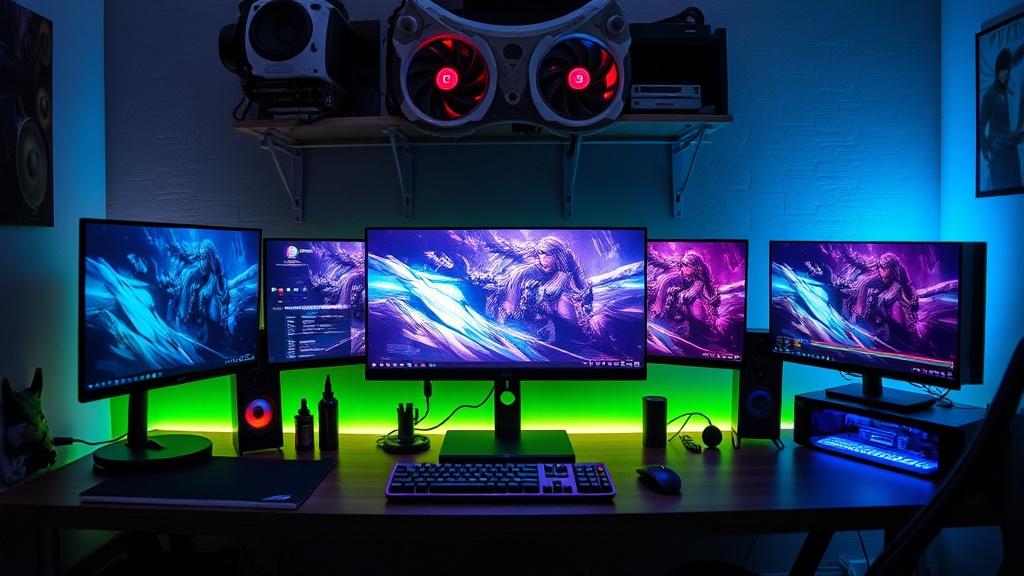
How to Build Your Ultimate Gaming Setup on Any Budget

This guide breaks down how to build a gaming setup that actually performs, regardless of budget constraints. The market floods consumers with RGB-laden peripherals and overpriced components that deliver marginal returns. This post cuts through the marketing noise to prioritize frame rates, thermal performance, and upgrade pathways that matter. Whether working with $500 or $5,000, the principles remain the same: allocate funds where they impact gameplay, ignore features that inflate cost without improving performance, and plan for component swaps rather than full rebuilds.
Budget Tier: $500-$800 — The Foundation
The entry-level tier demands ruthless efficiency. Every dollar must translate to measurable FPS gains or future upgrade headroom.
The GPU: Heart of the Build
At $500 total budget, the AMD Radeon RX 6650 XT (~$230) remains the undisputed champion for 1080p gaming. Benchmarks from TechPowerUp show this card averaging 78 FPS in Call of Duty: Modern Warfare III at ultra settings, 1080p. The NVIDIA GeForce RTX 4060 (~$300) costs 30% more for roughly 12% better performance—only worth considering if DLSS 3 frame generation becomes essential.
Avoid the GTX 1650, GTX 1660 Super, or any card without hardware-accelerated ray tracing at this point. These legacy GPUs lack resale value and struggle with modern APIs.
CPU: Don't Overspend Here
The AMD Ryzen 5 5600 (~$130) delivers six cores, twelve threads, and a 4.4 GHz boost clock. Pair it with a B550 motherboard (~$90) and 16GB DDR4-3200 CL16 RAM (~$35). This combination leaves sufficient budget for a 500GB NVMe SSD (WD Blue SN570 at ~$40) and a reputable 550W 80+ Bronze PSU like the Corsair CX550M (~$60).
Intel's Core i3-12100F (~$110) offers competitive single-threaded performance but locks users into DDR4 platforms with limited upgrade paths. The AM4 socket supports CPUs up to the Ryzen 7 5800X3D, making the 5600 the smarter long-term investment.
Peripherals: The $150 Challenge
Skip the "gaming" keyboard marketed at $80. The Redragon K552 (~$35) uses Outemu Blue mechanical switches rated for 50 million keystrokes—functional, loud, and replaceable when individual switches fail. For mice, the Logitech G203 LIGHTSYNC (~$25) packs a PixArt sensor capable of 8,000 DPI with zero hardware acceleration issues.
Displays matter more than peripherals. The AOC 24G2 (~$130) delivers a 144Hz IPS panel with 1ms MPRT response time and 126% sRGB coverage. Running a 60Hz monitor with a 6650 XT wastes approximately 40% of the GPU's capability in esports titles.
Mid-Range Tier: $1,200-$1,800 — The Sweet Spot
This bracket targets 1440p 144Hz gameplay—the resolution where visual fidelity and competitive performance converge.
GPU: The 1440p Decision
The AMD Radeon RX 7800 XT (~$500) dominates this segment. Hardware Unboxed testing shows 94 FPS average in Cyberpunk 2077 at 1440p ultra settings without ray tracing. NVIDIA's RTX 4070 (~$550) trades blows in rasterization but pulls ahead with ray tracing enabled—87 FPS versus 62 FPS in the same benchmark with RT ultra settings.
The 7800 XT's 16GB VRAM buffer future-proofs against texture streaming issues in titles like Hogwarts Legacy, which exceeds 12GB allocation at 1440p ultra. The 4070's 12GB limits become problematic in open-world games employing heavy texture packs.
CPU and Platform
The AMD Ryzen 7 7700 (~$280) or Intel Core i5-14600K (~$300) represent the ceiling for gaming-focused builds. Both handle 1440p workloads without bottlenecking current GPUs. The 7700 runs cooler (65W TDP versus 125W), reducing cooler costs and case airflow requirements.
Motherboard selection impacts longevity. The MSI B650 Gaming Plus WiFi (~$160) supports PCIe 4.0, DDR5-6000 memory, and BIOS flashback for future AM5 processor upgrades. Intel's LGA 1700 platform reaches end-of-life with 14th-gen chips, forcing motherboard replacements for next-generation upgrades.
Memory: Speed Over Capacity
32GB DDR5-6000 CL30 (~$90) has become the standard. Benchmarks from Gamers Nexus demonstrate that DDR5-6000 provides 8-12% better 1% low FPS in CPU-bound scenarios compared to DDR5-4800. The capacity bump from 16GB prevents stuttering in memory-heavy titles like Starfield and Microsoft Flight Simulator.
Storage Architecture
Implement a two-drive strategy: a 1TB PCIe 4.0 NVMe SSD (Samsung 980 Pro or equivalent, ~$80) for OS and active games, plus a 2TB SATA SSD (Crucial MX500, ~$110) for bulk storage. NVMe drives offer 7,000 MB/s sequential read speeds—irrelevant for gaming beyond load times, but essential for direct storage API implementations in upcoming titles.
Peripheral Upgrades
The Razer DeathAdder V3 (~$90) weighs 59 grams and uses Razer's Focus Pro 30K optical sensor—overkill for most users, but the shape suits palm grips across hand sizes. For keyboards, the Keychron Q1 Pro (~$200) offers gasket-mounted construction and hot-swappable switches. Customization extends beyond aesthetics; different switch types (Gateron Oil King linear versus Boba U4T tactile) demonstrably impact input latency and finger fatigue during extended sessions.
Audio equipment demands attention. The HyperX Cloud Alpha (~$80) uses dual-chamber drivers that separate bass frequencies from mids and highs, reducing distortion at high volumes. For competitive FPS play, the Sennheiser PC38X (~$130) provides superior imaging—the ability to pinpoint enemy positions through audio cues alone.
High-End Tier: $2,500+ — Diminishing Returns Territory
Expensive components do not guarantee proportional performance gains. This bracket requires scrutinizing whether premium pricing delivers measurable improvements.
GPU: The 4K Question
The NVIDIA GeForce RTX 4080 Super (~$1,000) and AMD Radeon RX 7900 XTX (~$950) both handle 4K 60Hz gaming. The 4080 Super's DLSS 3.5 with frame generation pushes Alan Wake 2 from 45 FPS native to 85 FPS with ray tracing enabled. AMD's FSR 3 offers similar frame generation but suffers from ghosting artifacts in motion-heavy sequences.
The RTX 4090 (~$1,600) remains the only card reliably driving 4K 144Hz in AAA titles. However, the price-to-performance ratio breaks down—paying 60% more for 25% additional frames over the 4080 Super.
CPU: Overkill Identification
The Intel Core i9-14900K and AMD Ryzen 9 7950X3D offer 24 and 16 cores respectively. For pure gaming, these processors provide identical performance to the i7-14700K or Ryzen 7 7800X3D. The 7950X3D's 3D V-Cache delivers exceptional 1080p esports performance (400+ FPS in Counter-Strike 2), but 1440p and 4K gaming shifts bottlenecks entirely to the GPU.
Content creators requiring simultaneous gaming, streaming, and video encoding justify the additional cores. Pure gamers should redirect funds toward GPU upgrades or monitor improvements.
Cooling: Necessary Investment
High-end GPUs generate substantial heat. The RTX 4080 Super peaks at 320W under load, demanding cases with unrestricted airflow. The Fractal Design Torrent (~$190) includes two 180mm front fans that move 200 CFM combined—sufficient for passive GPU cooling in many configurations.
AIO liquid coolers for CPUs provide diminishing returns beyond 240mm radiators. The Arctic Liquid Freezer II 280 (~$100) matches 360mm AIO performance while fitting more compact cases. Custom loop cooling costs $600+ and requires maintenance (coolant replacement every 12-18 months) for 5-10°C improvements—only worthwhile for aesthetic priorities or extreme overclocking attempts.
Display Technology
The LG 27GP950-B (~$550) offers 4K 144Hz with HDMI 2.1 for console compatibility and 98% DCI-P3 color coverage. OLED alternatives like the ASUS ROG Swift PG27AQDM (~$900) provide infinite contrast ratios and 0.03ms response times but suffer from burn-in risk during static HUD elements in MMOs or strategy games.
Ultrawide monitors (3440x1440 resolution) occupy a middle ground. The Samsung Odyssey G8 OLED (~$1,300) delivers immersive aspect ratios but introduce compatibility issues in competitive titles that crop ultrawide resolutions to 16:9, reducing effective field of view.
Universal Principles Across All Budgets
The Upgrade Pathway Strategy
Prioritize components with clear succession plans. AM5 socket motherboards support CPUs through at least 2025. PCIe 4.0 power supplies remain relevant for next-generation GPUs. DDR5 memory will persist through multiple platform generations. Avoid proprietary form factors like Dell's custom motherboards or Alienware's non-standard PSU connections—these lock users into vendor ecosystems with inflated replacement costs.
Verification Before Purchase
"Factory overclocked" GPUs rarely exceed 3-5% performance gains over reference designs while costing 10-15% more. Flashing a custom BIOS achieves identical results on stock cards.
Consult independent reviews from sources like Gamers Nexus, Hardware Unboxed, and Tom's Hardware. Manufacturer-provided specifications often list boost clocks achievable only under unrealistic thermal conditions. User reviews on retail sites like Amazon or Newegg identify widespread defects—coil whine, thermal paste application failures, or VRM overheating—faster than professional reviews covering single samples.
The Used Market Reality
GPUs from cryptocurrency mining operations sell at 40-60% discounts but carry elevated failure risks. The NVIDIA GTX 1070 Ti and AMD RX 5700 XT represent safe used purchases—simple designs with robust power delivery systems. Avoid RTX 3000-series cards entirely; the micron memory modules in these GPUs suffer from a manufacturing defect causing artifacting and crashes.
CPUs rarely fail. A used Ryzen 5 3600 (~$60) pairs acceptably with a used GTX 1660 Super for 1080p 60Hz gaming, creating sub-$400 builds for casual players. Verify seller ratings and request timestamped photos of components functioning before purchase.
Final Allocation Framework
Regardless of budget, distribute spending according to this hierarchy:
- GPU: 35-40% of total budget
- Display: 15-20% (matches GPU capability to visible output)
- CPU: 15-20% (sufficient to prevent GPU bottlenecking)
- Storage: 8-10% (prioritize capacity over NVMe speeds)
- Peripherals: 10-15% (mechanical keyboards and precise mice improve input consistency)
- Motherboard/PSU/Case: Remaining percentage (reliability features over aesthetic elements)
Building a gaming setup demands discipline against marketing pressures. RGB lighting, tempered glass panels, and brand premiums do not increase frame rates. Thermal headroom, memory bandwidth, and storage speed do. Allocate accordingly.