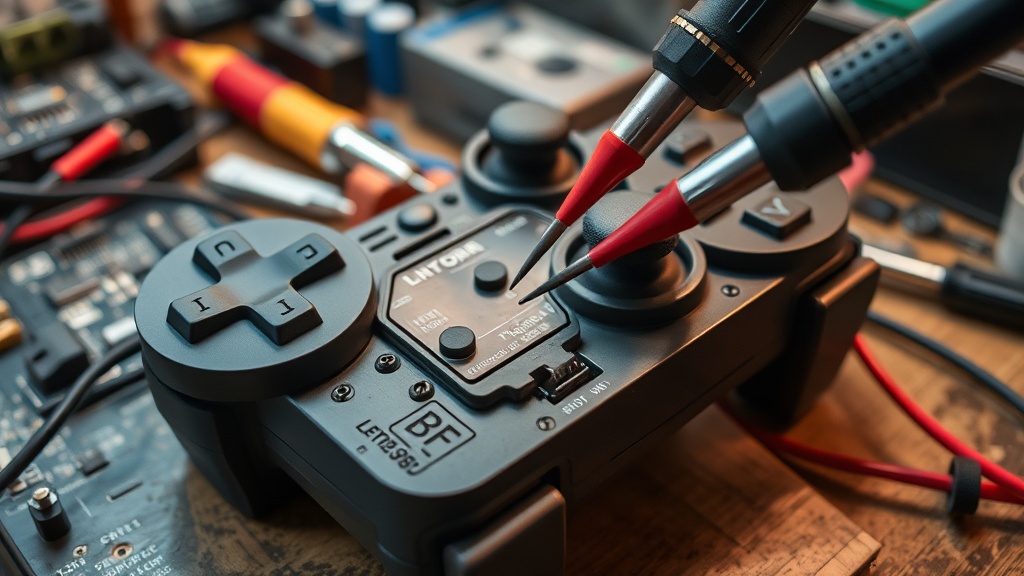
# Your Controller Isn't "Drifting" — It's Dying on a Schedule, and Here's the 15-Minute Diagnosis I Use at My Bench
I fix controllers for a living. Not as my main gig — that's telling you the truth about video games — but the repair bench pays for itself and then some. I see three to five "stick drift" complaints a week. About half of them aren't drift at all.
Here's what most people don't understand: "stick drift" has become a catch-all term for any unwanted analog input. That's like calling every car problem "the engine." The fix depends entirely on *what's actually wrong*, and most of the internet advice skips the diagnosis entirely and jumps straight to "blow compressed air into it" or "increase your deadzone." Both of those are band-aids. One of them does literally nothing.
This is the 15-minute diagnostic I run at my bench before I open a single screw.
## Why the diagnosis matters more than the fix
A DualSense replacement thumbstick module costs about $4. The labor to solder it takes me 20 minutes. But if I skip diagnosis and just swap the module, I've wasted parts and time on a controller that might have a firmware bug, a dirty contact, or a broken flex cable. Worse, I've told the customer it's fixed when it isn't.
The same logic applies to you at home. Before you crack open your controller, void whatever warranty you have left, or buy a replacement, spend 15 minutes figuring out what you're actually dealing with.
## Step 1: Confirm the behavior (Minutes 0–3)
Plug the controller into a PC via USB. Go to a browser-based gamepad tester — there are several free ones. I use whatever shows raw analog values with a visual plot.
What you're looking for:
- **Resting position offset**: With both sticks untouched, do the crosshairs sit dead center? A slight offset (1-3% off center) is normal manufacturing tolerance. If one stick rests 8-15% off center consistently, that's genuine potentiometer drift.
- **Jitter at rest**: The crosshairs should be still when you're not touching anything. If they're vibrating or twitching in a tiny radius, that's electrical noise — different problem, different fix.
- **Drift in one direction only**: If the stick slowly creeps in a single direction, that's usually a worn carbon track on one axis of the potentiometer. Classic mechanical wear.
- **Intermittent spikes**: Random jumps to full deflection that snap back immediately? That's not the stick module at all. That's usually a flex cable or connector issue.
Write down what you see. Seriously. "It drifts" is not a diagnosis.
## Step 2: Rule out software (Minutes 3–6)
This is the step everyone skips, and it's the step that saves you from opening a perfectly functional controller.
**Update the firmware.** Sony and Microsoft both push firmware updates that adjust deadzone curves and stick calibration. I've had controllers come in with "drift" that disappeared after a firmware update. It's embarrassing how often this works.
- **DualSense**: Connect to a PS5 or use the PS Accessories app on PC.
- **Xbox**: Use the Xbox Accessories app on PC or console.
- **Switch Pro Controller**: System Settings → Controllers and Sensors → Update Controllers.
**Re-calibrate.** Some platforms let you recalibrate the sticks directly. The Switch does. Steam Input does. If your "drift" appeared after a system update or game patch, recalibration might fix it because the stored calibration profile got corrupted, not the hardware.
**Test in multiple games.** Some games have aggressive input processing. If the drift only shows up in one title, it's that game's deadzone implementation, not your hardware. I've seen Elden Ring's input code drive people to buy new controllers for a software problem.
## Step 3: The physical inspection (Minutes 6–10)
If software didn't fix it, now we look at the hardware — but we still don't open it yet.
**The rotation test**: Slowly rotate the affected stick in a full circle at the outer edge. Feel for:
- Grinding or scratching = debris inside the module or a worn bushing
- A "dead spot" where resistance drops = worn potentiometer track
- Clicking or catching = broken internal post or cracked gimbal
**The pressure test**: Press the stick straight down (L3/R3 click) and hold it. While holding, check the gamepad tester. Does the analog position shift when you press down? If yes, the module's vertical post is worn. This is one of the most common mechanical failures, and it's the one that increasing your deadzone will never fix because it only manifests under click pressure.
**The wiggle test**: Grab the stick cap and gently wiggle it laterally — not tilting the stick, but moving the entire shaft. You should feel almost zero play. If the stick has visible lateral wobble, the internal gimbal or the solder joints on the module are failing.
## Step 4: The verdict (Minutes 10–15)
Based on what you found, here's the decision tree I use:
**Firmware/calibration fixed it** → You're done. Cost: $0. Time: 5 minutes. You were about to spend $70 on a new controller.
**Consistent single-axis drift with no physical symptoms** → Likely worn potentiometer. On a DualSense or Xbox controller, the module is soldered to the board. If you can solder, a replacement module is $3-5 and the swap takes 20 minutes. If you can't solder, a repair shop charges $25-40. Still cheaper than a new controller.
**Jitter/noise at rest** → Could be debris (fixable with isopropyl alcohol and patience) or a degraded potentiometer that's sending noisy signals. Try cleaning first. If it persists, module replacement.
**Intermittent spikes to full deflection** → Almost never the stick module. Check the flex cable connection between the stick board and the main PCB. On DualSense controllers, this ribbon cable is fragile and the connector loosens over time. Re-seating it is a 10-minute job if you're careful.
**Lateral wobble** → Mechanical failure of the gimbal. Module replacement is the only real fix. This is the failure mode that most DualSense class-action talk centered on — the internal plastic components wear out faster than they should.
**Drift under L3/R3 pressure only** → Worn vertical post. Module replacement. No software fix will help.
## The deadzone lie
I need to rant about this for a second. The most common "fix" you'll find online is "just increase your deadzone." This is not a fix. This is hiding symptoms while the underlying failure gets worse.
Increasing your deadzone means you're telling the game to ignore a larger range of stick input near center. You're literally making your controller *less precise* to compensate for a hardware problem. In a competitive shooter, that's the difference between a micro-adjustment hitting your target and your crosshair jumping past it. In a racing game, it's dead steering feel near center.
If your controller needs a deadzone above 10% to feel normal, it needs a new module, not a bigger deadzone. You wouldn't "fix" worn brake pads by pressing harder. Same principle.
## What I actually recommend
If your controller is less than a year old, contact the manufacturer. Stick drift within the first year is a defect, full stop. Sony and Microsoft both have warranty processes, and enough class-action pressure has landed that they're generally less hostile about drift claims than they used to be.
If it's out of warranty and you're handy with a soldering iron, learn to do the module swap yourself. I've published my teardown process, the parts cost almost nothing, and you'll get another 12-18 months out of the controller.
If you're not comfortable soldering, find a local repair shop. Not a phone repair chain — an actual electronics person. The job is straightforward for anyone comfortable with board-level work.
And whatever you do, don't throw a $70 controller in the trash because a $4 component wore out. That's exactly what the manufacturer wants you to do.
## The real problem nobody talks about
Every major controller manufacturer uses Hall Effect sensors in their $200+ "pro" controllers while shipping potentiometer-based sticks in the $70 standard models. They *know* potentiometers wear out. They've known for decades. The parts to make every controller drift-resistant exist right now, cost pennies more at manufacturing scale, and are deliberately reserved for the premium SKU.
That's not a technical limitation. That's a business model. And the next time someone tells you "all controllers drift eventually," remind them that Hall Effect sticks don't. The technology exists. It's just not in the controller you bought because planned obsolescence is more profitable than engineering integrity.
Do the diagnosis. Fix what's fixable. And stop buying new controllers every year for a problem that costs $4 to solve.
*— Vance*
