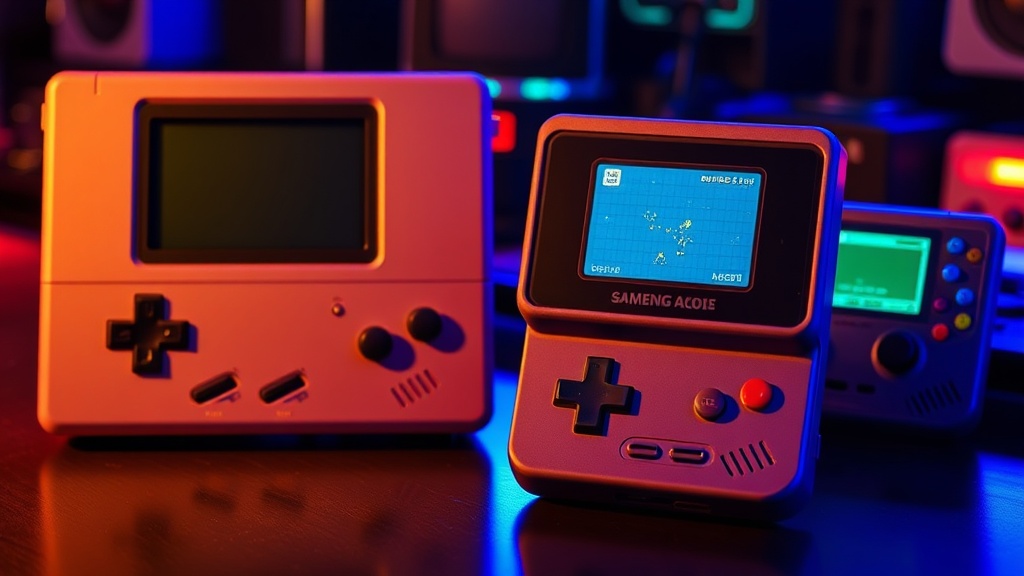
Retro Handhelds That Run Modern Emulation Perfectly

The Budget King: High Performance for Low Cost
The Premium Choice: High Resolution and Build Quality
The Mid-Range Workhorse: Versatility and Battery Life
This post identifies the specific handheld devices capable of running high-end emulation—specifically PS2, GameCube, and 3DS—without the stuttering or frame drops that plague cheaper hardware. You'll see exactly which chipsets actually handle modern emulation overhead and which ones are just expensive paperweights. I'm cutting through the marketing hype to show you what works when the shaders get heavy.
What are the best handhelds for high-end emulation?
The best handhelds for high-end emulation are currently the Steam Deck, the Retroid Pocket 4 Pro, and the Ayn Odin 2. While cheaper devices claim to play "everything," they usually choke the moment you try to run a demanding title from the early 2000s. If you want to play God of War or The Legend of Zelda: Twilight Princess without a slideshow, you need specific hardware configurations that I'll break down below.
Most "retro" handhelds use low-power ARM chips. These are great for SNES or PlayStation 1, but they fall apart when you hit the complexity of later generations. You aren't just playing a ROM; you're running a software layer that translates old code to new hardware. That takes raw processing power. A lot of it.
The Heavy Hitters
If you want to play anything from the last 25 years, you have to look at the high-end tier. It's a different world than the $50 devices you see on Temu.
- Steam Deck (LCD or OLED): The gold standard for ease of use. It runs Linux-based Proton, which makes even heavy-duty emulation feel native. It's bulky, but the performance is undeniable.
- Ayn Odin 2: This is the king of Android-based emulation. It uses the Snapdragon 8 Gen 2 chipset. It handles PS2 and GameCube with a level of stability that makes most other handhelds look like toys.
- Retroid Pocket 4 Pro: A more compact option. It won't hit the same peaks as the Odin, but it's a solid middle ground for enthusiasts who want portability without sacrificing too much power.
I've spent enough time inside a soldering iron's heat zone to know that hardware limitations aren't suggestions—they're hard walls. You can't "optimize" your way out of a weak CPU. If the silicon can't handle the instruction set, you're stuck with a stuttering mess.
For those who want to see how high-end hardware handles modern gaming, check out my Steam Deck Performance Deep Dive. It explains the logic behind why certain architectures handle heavy loads better than others.
How much does high-end emulation hardware cost?
High-end emulation hardware typically costs between $150 and $600 depending on whether you prioritize portability or raw power. You'll find a massive gap between "budget" devices and "performance" devices, and it's a gap you shouldn't try to bridge with software hacks alone.
| Device | Approx. Price | Primary Strength | Emulation Tier |
|---|---|---|---|
| Retroid Pocket 2X | $60 | Portability | PS1 / N64 |
| Retroid Pocket 4 Pro | $199 | Value/Android | N64 / Dreamcast / Some PS2 |
| Ayn Odin 2 | $350+ | Raw Power | PS2 / GameCube / 3DS |
| Steam Deck | $399+ | Versatility | Everything up to modern AAA |
Don't fall for the "it can play PS2" labels on budget sites. They often omit the part where it can only play the simplest titles at half-speed. I've seen too many people buy a device thinking they're getting a library of 10,000 games, only to find out 9,000 of them run like a slideshow. It's frustrating and, frankly, a waste of money.
The "Budget" Trap
The reason I hate the term "budget handheld" is that it's often used to mask terrible hardware. A device might be able to boot a PS2 game, but if you can't maintain 30 FPS during a combat sequence, it's a failure. Real gamers care about the frame pacing. If the frames are inconsistent, the experience is ruined.
Check the Wikipedia page on Emulation if you want to understand the actual technical overhead of translating architectures. It's not just "running a game." It's a massive computational tax that requires high-clocked cores and decent memory bandwidth.
Which chipset is best for emulation?
The Snapdragon 8 series is currently the best chipset for high-end Android-based emulation. If you are looking at a device that doesn't use a high-tier Qualcomm chip or a powerful x86 processor, you are likely hitting a ceiling very quickly.
Most Android handhelds use much cheaper MediaTek or lower-end Snapdragon chips. These are fine for 2D games or 8-bit classics. But the moment you try to run Metal Gear Solid on a PS2 emulator, the lack of specialized instructions in the CPU will cause a bottleneck. It's not a matter of opinion; it's physics.
- x86 Architecture (Steam Deck/ROG Ally): Best for running emulators that are actually standalone PC ports. This is much more stable.
- High-End ARM (Snapdragon 8 Gen 2/3): Best for Android-based emulators like AetherSX2 or NetherSX2.
- Mid-Range ARM (Dimensity/Lower Snapdragon): Good for handhelds that focus on retro-only play (NES, SNES, GBA).
I've seen people try to overclock these handhelds to save a bad experience. It's a losing battle. You can't overclock a device that doesn't have the thermal headroom to dissipate the heat. Most of these small handhelds are built like closed systems—once you hit the thermal limit, the CPU throttles, and your frame rate drops to zero. It's a death spiral.
If you're more interested in how to get the most out of your current setup, you might want to look into how to optimize your gaming PC. The principles of resource allocation are similar, even if the hardware is different.
The Thermal Reality
One thing people forget: heat is the enemy of performance. A handheld with a massive processor but no active cooling (fans) is a ticking time bomb. You'll have a great first ten minutes of gaming, and then the device will get hot, the clock speeds will drop, and your "perfect" emulation will become a stuttering mess. Always look for devices with active cooling if you're aiming for the PS2/GameCube era.
I've repaired enough handhelds to know that heat kills battery life and degrades components over time. If a company isn't being transparent about their cooling solution, assume it's passive and underpowered.
A Note on Software vs. Hardware
Hardware is only half the battle. An amazing device with a poorly optimized emulator is still a bad experience. For example, the way a specific version of DuckStation handles certain shaders can make a huge difference. You can have the fastest chip in the world, but if the emulator isn't utilizing the GPU correctly, you're still going to see artifacts and frame drops. It's a delicate balance of both-and-nothing-less.
Don't just look at the specs on the box. Look at the community forums for the specific emulator you plan to use. If the community is complaining about performance on a specific chipset, believe them. They're the ones actually running the code, not the marketing team.